9 Powerful Benefits of Keyword Rank Tracking for SEO Growth in 2026
Your website may appear on Google every day without bringing enough visitors. Sometimes, your pages rank on page two. Other times, they reach page one but attract very few clicks. Without reliable data, it’s difficult to understand what’s happening.

That’s where keyword tracking becomes useful. It helps you see where your pages appear, which terms are improving, and where your SEO needs attention. In this guide, you’ll discover nine powerful benefits, learn how tracking works, and understand how to turn ranking information into better decisions.
What Is Keyword Rank Tracking and Why Does It Matter for SEO?
Keyword Rank Tracking means checking where a webpage appears in search results for a particular search term. For example, your article might appear at position 12 for “SEO tools for small businesses.” A tracking tool records that position so you can compare it over time.
This process supports SEO Performance Monitoring because it shows how your pages perform for important searches. However, rankings are only one part of SEO. You should also review impressions, clicks, click-through rate, and conversions to understand whether search visibility brings useful visitors.
Understanding Keyword Rank Tracking in Simple Terms
Imagine you own a website that sells accounting software. You want your page to appear when people search for “small business accounting software.” A tracking tool checks where your page appears and records its position. You can then see whether it improves or declines.
Why Google Keyword Rankings Matter for Website Visibility
Higher Google Search Rankings can make your pages easier to find. Yet position alone doesn’t guarantee traffic or sales. A useful keyword must match your service and the searcher’s needs. A page ranking first for an unrelated phrase may attract visitors who never become customers.
How Keyword Position Tracking Supports Long-Term SEO Growth
A single search check is only a snapshot. Regular tracking helps you spot patterns across weeks and months. You can see which pages gain visibility, which terms lose ground, and where updates may help. This makes SEO decisions more informed and less dependent on guesswork.
How Does Keyword Rank Tracking Work?
A tracking tool checks selected search terms and looks for your website in the results. It records the page’s Keyword Position and stores the information for future comparisons. Depending on the tool, you may also choose a country, city, language, or device.
The results appear in a dashboard or report. You can review Ranking Data, compare earlier positions, and identify changes. However, different tools may use different tracking settings. Keep your location, device, search engine, and keyword settings consistent when comparing results.
How Rank Tracking Tools Collect Keyword Ranking Data
Most tracking tools begin with a list of keywords and a website or page to monitor. They check search results using selected settings and record the page’s position. Some tools also store competitor results, ranking history, and changes over time.
Understanding Search Engine Results Pages (SERPs)
Search Engine Results Pages (SERPs) contain more than traditional website links. Google may show maps, images, videos, shopping results, featured snippets, and AI-powered features. These elements can change how much attention ordinary organic listings receive. A result’s position should therefore be understood alongside the page layout.
Why Location, Device, and Search Intent Affect Keyword Rankings
A business targeting New York may see different results from a business targeting London. Google uses context such as location, language, and device when presenting results. Its official explanation of why search results differ helps explain these changes.
For this reason, Local Keyword Rankings, Desktop Keyword Rankings, and Mobile Keyword Rankings should be reviewed with the correct settings. A local service business may need city-level tracking. A national website may need country-level checks for both the USA and UK.
How Often Should You Track Keyword Rankings?
The right schedule depends on your website and SEO activity. Weekly checks work well for many established websites. Daily checks may help during a major content update or an active campaign. Monthly reviews are useful for spotting wider trends and measuring progress.
9 Powerful Benefits of Keyword Rank Tracking for SEO Growth
Strong SEO decisions begin with useful information. Without tracking, you may publish content without knowing whether it reaches the right searches. You may also miss important ranking changes that need attention. Consistent monitoring gives you a clearer view of your website’s search performance.
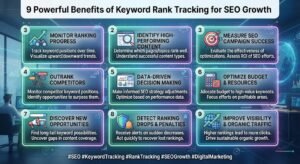
The following benefits explain how Keyword Tracking for SEO supports better planning. They also show why ranking information should work alongside traffic, engagement, and business data. Used correctly, it can help you focus your time on pages and searches that matter.
1. Monitor Your Google Keyword Rankings Accurately
Guessing your position through occasional searches can lead to poor decisions. A dedicated tracker gives you a consistent way to check selected keywords. It can help you Track Website Rankings on Google across chosen locations and devices. This is especially useful when your audience lives in different markets.
2. Measure Your SEO Performance Over Time
SEO improvements rarely happen overnight. A page may move from position 35 to position 18 before reaching page one. Keyword Ranking History helps you understand this progress. Compare weekly or monthly results instead of judging your work through one day’s movement.
3. Identify Ranking Drops Before They Hurt Traffic
A sudden ranking decline deserves attention, but it doesn’t always mean your website has a serious problem. Ranking Fluctuations can happen when competitors update pages or search results change. Tracking helps you notice these movements early. You can then investigate the cause before making unnecessary edits.
4. Discover New Opportunities to Improve Rankings
Some of your pages may already appear near the top of page two. These terms can create useful opportunities because Google has already found your content relevant to those searches. Review Keyword Difficulty, search intent, competing pages, and content gaps before choosing which terms deserve more work.
5. Understand Which Keywords Drive Organic Traffic
A high position doesn’t always bring valuable visitors. You need to know whether people click your result and take useful actions after arriving. Combine ranking information with Organic Search Performance data from Search Console and Analytics. This helps connect keyword visibility with leads, sales, and other business goals.
6. Evaluate the Impact of Your SEO Strategy
Have you updated an old article, improved its headings, or added relevant internal links? Tracking helps you observe what happens after these changes. It supports Keyword Performance Analysis and gives you a clearer way to review your SEO work. Remember that several factors can affect results.
7. Track Competitor Keyword Performance
Your competitors may rank for searches that your website barely covers. Reviewing their positions can reveal content gaps and new topics. Competitor Analysis helps you understand where other websites gain visibility. You can then create more useful pages instead of copying their content or structure.
8. Make Better SEO Decisions Using Ranking Data
Without reliable information, website owners often change pages based on assumptions. Ranking reports can show which terms need attention and which pages already perform well. Use SEO Data Analysis to compare position changes with clicks, impressions, and conversions. This makes your next action easier to justify.
9. Measure Your Progress Toward SEO Goals
Every website needs clear SEO goals. A local business may want more enquiries from nearby searches. An online store may want more product-page visibility. SEO Reporting helps you compare progress against these goals. Track relevant terms and measure whether better visibility leads to meaningful business results.
Manual Keyword Tracking vs. Automated Rank Tracking Tools
Manual checking can work when you only have a few important keywords. You can search Google and record where your page appears. However, the process becomes difficult when you manage many pages, target several locations, or need regular reports.
Automated Keyword Rank Tracking saves time by checking selected terms through a tracking system. It can store historical positions and organise results in one place. Still, automation doesn’t remove the need for analysis. You must understand what the numbers mean before changing your SEO strategy.
How Manual Google Keyword Checking Works
Open Google, enter your target search term, and look for your webpage among the organic results. Record its approximate position, date, location, and device. This simple method can help with occasional checks. However, it doesn’t provide reliable historical data for a large keyword list.
Benefits and Limitations of Manual Keyword Tracking
Manual checks cost nothing and help you understand the search results directly. You can see which competitors appear and what type of content Google displays. The problem is consistency. Search context can affect results, and checking hundreds of terms manually takes too much time.
How Automated Keyword Rank Tracking Saves Time
Automated tools check selected terms according to their tracking settings. They can store earlier positions and create Keyword Ranking Reports for easier review. This makes it simpler to Track Multiple Keywords across campaigns. You still need to check whether the tracking settings match your target market.
Manual Tracking vs. Automated Tracking: Key Differences
| Comparison | Manual tracking | Automated tracking |
|---|---|---|
| Setup | Simple | Requires tool setup |
| Cost | Usually free | Free or paid |
| Time | More manual work | Saves time on repeated checks |
| Historical records | Must record results yourself | Often stored automatically |
| Multiple keywords | Difficult at scale | Easier to manage |
| Reporting | Spreadsheet or notes | Dashboard or reports |
| Location checks | Requires careful manual setup | Depends on tool features |
A Free Keyword Rank Checker may be enough for a small project. Larger websites may benefit from Paid Keyword Tracking Tools with more locations, keyword limits, and reporting options. Choose based on your actual needs rather than the longest feature list.
What Features Should You Look for in a Keyword Rank Tracking Tool?
The right tool should make ranking information easier to understand. It should help you check important terms without creating more work. Look for accurate results, useful filters, clear reports, and tracking settings that match your audience.
The Best Keyword Rank Tracking Tools are not always the most expensive ones. A small business may need only a simple Keyword Position Tracking Tool. An agency may need competitor data, several projects, and client reports. Your choice should match your website size and SEO goals.
Accurate Google Keyword Position Tracking
Accuracy starts with consistent settings. A useful Google Keyword Rank Checker should let you choose the search location and device where available. It should also explain how often it checks positions. Avoid comparing reports when their tracking settings are different.
Daily and Historical Keyword Ranking Reports
Historical data helps you understand whether a ranking change is temporary or part of a wider trend. Look for reports that show earlier positions and changes over time. Daily Rank Monitoring can be useful during active campaigns, while weekly reviews often provide a calmer view.
Competitor Keyword Tracking
A good tool may help you compare your visibility with competing websites. This can reveal searches where another business performs better. Competitor Keyword Rankings can also show where competitors gain visibility. Use these findings to discover topics and improve your own pages.
Location-Based and Device-Based Rank Tracking
Businesses serving different areas need the right location settings. A company in the United States may want to compare New York and California. A UK business may need London, Manchester, or national results. Mobile Rank Tracking and Desktop Rank Tracking can also reveal differences in search visibility.
Multiple Keyword Tracking and Organized Reports
As your website grows, managing a long keyword list becomes harder. A useful tool should help organise terms by page, topic, service, or campaign. This makes SEO Keyword Monitoring easier and helps you understand which pages support your main business goals.
Easy-to-Understand SEO Reporting and Data Visualization
A dashboard should explain information rather than hide it behind confusing charts. Look for clear position changes, keyword groups, and historical comparisons. A practical SEO Ranking Tracker should help beginners understand results without requiring advanced technical knowledge.
Affordable Pricing and Practical Usability
Compare the number of keywords, projects, locations, and reports included in each plan. Check whether the tool limits daily updates or charges extra for important features. The Best SEO Rank Tracking Software should solve your problem at a price your business can support.
How SEO Rank Hunter Helps You Monitor Keyword Rankings
SEO Rank Hunter is a product from XpertCodes. However, it is important to understand exactly what the current product offers before choosing it for a specific task. Its public product information has described both keyword-tracking ideas and WordPress SEO automation, so these capabilities should not be treated as identical.
The current WordPress.org SEO Rank Hunter listing describes features such as meta title generation, script cleanup, minification, structured data, and performance-related settings. These features can support website optimization, but the listing does not describe a dedicated live keyword-position tracking dashboard.
An Introduction to SEO Rank Hunter by XpertCodes
SEO Rank Hunter is presented as a WordPress plugin designed to help with on-page SEO and selected technical tasks. Its listed features include automated metadata, HTML cleanup, structured data, and other output improvements. You can read the SEO Rank Hunter product information to understand its purpose.
How to Monitor Keyword Rankings Alongside SEO Rank Hunter
Use a dedicated tracking tool or Google Search Console to check your search positions. Then use SEO Rank Hunter for the WordPress optimization tasks its current version supports. This approach keeps ranking measurement separate from on-page automation and avoids expecting one tool to perform every SEO task.
Understanding Your Keyword Ranking Data
Google Search Console can show clicks, impressions, click-through rate, and average position. Its official guide to impressions, position, and clicks explains how these metrics work. Review them together instead of treating average position as an exact ranking for every search.
Who Can Benefit from SEO Rank Hunter?
WordPress site owners may find its automation features useful when they want help with selected on-page and technical tasks. Bloggers, small businesses, and developers should first review the available settings. If you need a dedicated WordPress Keyword Rank Tracker, confirm that the current product version actually includes that function.
Why Choose SEO Rank Hunter for WordPress SEO Tasks?
The plugin may suit users who want selected SEO and performance settings in their WordPress dashboard. Review its current features, compatibility, and documentation before installing it. You can also explore XpertCodes SEO Optimization services if you need broader technical or content support.
Common Keyword Rank Tracking Mistakes to Avoid
Tracking becomes less useful when you collect numbers without a clear purpose. Some website owners check rankings too often. Others track hundreds of unrelated terms and ignore the pages that bring actual customers. These habits create reports but don’t always lead to better SEO.
A stronger approach connects Search Position Tracking with business goals. Choose relevant terms, keep settings consistent, and review meaningful periods. Also remember that Google uses many ranking systems. Its ranking systems guide explains why no single ranking factor controls every result.
Checking Rankings Too Frequently and Overreacting to Changes
A keyword can move up or down without needing an immediate page update. Avoid changing titles, headings, and content after every small movement. Review a suitable period first. Then investigate whether the change connects with competitors, technical issues, or changes in search intent.
Tracking Too Many Irrelevant Keywords
A large keyword list may look impressive, but it can waste time. Focus on searches related to your products, services, and audience. Keyword Ranking Analysis should help you find useful opportunities, not fill reports with terms that have little value for your website.
Ignoring Search Intent and Keyword Relevance
A page may rank for a phrase without satisfying the searcher’s real need. For example, someone searching for a tutorial expects instructions, not a sales page. Review Search Intent before changing content. Make sure each page answers the question behind its target search.
Comparing Rankings Without Matching Locations and Devices
A result in London may not match a result in New York. Mobile and desktop results can also differ. Keep your settings consistent before comparing reports. Otherwise, you may mistake a location difference for a real improvement or decline in your SEO work.
Treating Keyword Positions as the Only SEO Success Metric
A strong ranking does not always bring sales. Review clicks, impressions, CTR, leads, and revenue where possible. Search Visibility tells you whether people can find your pages. Business metrics tell you whether that visibility helps your organisation.
Ignoring Competitor Activity and Search Results Changes
Competitors can publish better content, improve their pages, or target new searches. Google can also change the way results appear. Review important SERP changes and competing pages before making major edits. This helps you respond to real problems instead of guessing.
Best Practices for Getting Better Results from Keyword Rank Tracking
Good tracking starts with a clear plan. Choose terms that match your website and audience. Group them by page or topic, then review the results on a consistent schedule. This keeps your reports useful as your website grows.
You should also connect ranking information with other SEO tools. Google Search Console provides actual search performance data for your verified website. A separate tracker can help monitor selected terms. Together, these sources can help you Monitor Website SEO Progress and plan your next improvements.
Start with Relevant and Business-Focused Keywords
Choose keywords that match your services, products, and content. A local business should include searches that reflect its service area. An online store should focus on product and buying terms. Keyword Difficulty can help with research, but relevance and business value matter just as much.
Organize Keywords into Topic and Landing Page Groups
Group related terms around the pages you want to improve. For example, a web design service page may target website design and related service searches. This helps prevent unrelated keywords from being mixed together. It also makes Keyword Ranking Reports easier to review.
Monitor Important Keywords Consistently
Set a schedule that suits your website and campaign. Weekly reviews may work well for stable pages. More frequent checks can help during active changes. How to Monitor SEO Rankings should be a regular process, not a reason to react to every short-term movement.
Combine Rank Tracking with Google Search Console
Search Console gives you data about queries, clicks, impressions, CTR, and average position. Use its country and device filters to understand different audience groups. This helps you Track Organic Search Performance and see whether ranking changes lead to more useful visits.
Review Competitor Rankings and Content Gaps
Compare your important pages with the pages that compete for the same searches. Look for missing explanations, weak examples, outdated details, and unanswered questions. Track Competitor Google Rankings to discover new opportunities, but create original content that serves your readers better.
Turn Ranking Reports into Actionable SEO Improvements
A report only becomes useful when you act on what it shows. Update pages that no longer answer the query well. Improve internal links where they help readers find related information. Review titles when impressions are strong but clicks remain weak. Then measure the results over time.
Frequently Asked Questions About Keyword Rank Tracking
Website owners often have similar questions when they start monitoring search positions. Some want a free tool. Others need country-level reports or a way to understand sudden ranking changes. The answers below explain the basics and help you choose a sensible approach.
The most important point is to use tracking as a guide. It does not directly improve rankings or guarantee more visitors. SEO Ranking Performance depends on many factors, including content quality, search intent, technical health, competition, and the needs of your audience.
What Is Keyword Rank Tracking in SEO?
It is the process of checking where a webpage appears for selected search terms. A tracking tool records positions so you can compare them over time. This helps you understand search visibility and identify pages that may need attention.
How Can I Track Keyword Rankings in Google?
You can use Google Search Console to review queries, clicks, impressions, and average position. A dedicated tracking tool can also check selected terms using chosen locations and devices. Use both sources when you need a broader view.
What Are the Best Keyword Rank Tracking Tools?
The right tool depends on your budget, keyword list, target locations, and reporting needs. Compare accuracy, historical data, competitor features, and ease of use. Keyword Ranking Tools for Beginners should be simple enough to understand without a long learning process.
How Often Should You Track Keyword Rankings?
Many websites can review important terms weekly and study wider trends monthly. Active campaigns may need more frequent checks. How Often Should You Track Keyword Rankings? depends on how quickly you make changes and how much data you need.
Can Keyword Rank Tracking Improve SEO Rankings?
Tracking itself does not improve rankings. It shows where your pages appear and helps you find possible problems. You must use those findings to improve content, search intent, internal links, and technical issues.
Why Are My Google Rankings Dropping?
There can be several reasons. Competitors may improve their pages, your content may become outdated, or technical issues may affect your website. Search results can also change over time. Investigate the affected pages and queries before making major changes.
Can I Track Keyword Rankings in Different Countries?
Yes, if your tracking tool supports country or location settings. This is useful for businesses targeting the USA and UK. Keep each market separate so you can compare results under consistent conditions.
Is Google Search Console Enough for Keyword Rank Tracking?
Search Console is a strong free starting point. It provides real performance data from Google Search, including average position. However, it does not work like every dedicated tracker. A separate tool may offer more focused tracking for selected keywords and locations.
Are Free Keyword Rank Tracking Tools Accurate?
Some free tools can provide useful checks, but they may limit keyword counts, locations, or reporting. Search Console is useful for your own site’s Google performance. Check each tool’s settings and method before relying on its position data.
Is SEO Rank Hunter Suitable for Beginners?
SEO Rank Hunter’s WordPress plugin listing describes settings for metadata, structured data, and performance-related tasks. These may help WordPress users who want selected on-page automation. If you need a dedicated rank tracker, confirm that the current version offers that feature before choosing it.
Final Thoughts on Using Keyword Rank Tracking for SEO Growth
SEO becomes easier to manage when you understand what your data is telling you. keyword rank tracking can show where your pages appear, while impressions and clicks explain how people respond. Together, these metrics help you find useful opportunities and avoid changes based on guesswork.
Start with relevant keywords and track them consistently. Review competitors, understand search intent, and improve pages that already show potential. Use Google Search Console for search performance data and a suitable tracking tool for position checks. Most importantly, focus on visitors and business results rather than rankings alone.
Your goal should not be to collect the biggest keyword list. It should be to understand which searches matter and create pages that deserve attention. When you use ranking information with care, you can build a clearer, more useful, and more sustainable SEO strategy.