Close
Xpertcodes – Where Expertise Meets Innovation | Code | Consult | Expert
A website can look perfect and still struggle in Google Search. You may have great products, useful pages, and strong ideas. Yet your traffic can remain low. The reason may be hidden inside your technical setup, content, links, or indexing.
That is where an SEO audit becomes useful. It helps you check website SEO, find SEO problems, and understand why your pages may not perform as expected. You can then turn those findings into a practical plan to improve website SEO.
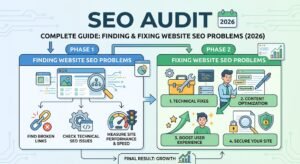
This complete guide explains how to perform an SEO audit from start to finish. It covers technical SEO, content, keywords, links, mobile performance, competitors, local businesses, and e-commerce websites.
It also explains how to use Google Search Console, Google Analytics, and PageSpeed Insights. By the end, you will know how to audit your website, organize your findings, and create a clear SEO improvement plan.
| Source | Link |
|---|---|
| Google Search Central | Google Search Central |
| Google Search Console | Google Search Console |
| Google SEO Starter Guide | Google SEO Starter Guide |
| Core Web Vitals | Google Core Web Vitals |
| PageSpeed Insights | PageSpeed Insights |
An SEO audit is a detailed review of a website’s ability to appear in search engines. It examines technical settings, content, keywords, links, speed, mobile usability, and indexing. The goal is to identify technical issues, weak pages, missed opportunities, and other problems affecting organic search performance.
Think of an audit like a health check for your website. A doctor checks different parts of your body before suggesting treatment. An SEO professional does something similar with a website. The process can check SEO issues, explain their causes, and provide practical SEO recommendations.
A website may lose visibility for many reasons. Important pages may not be indexed. Content may target the wrong search intent. Pages may load slowly. Internal links may be weak. A complete audit helps you improve search visibility while finding problems that normal ranking checks may miss.
An audit also helps businesses understand their SEO performance. You can compare traffic, rankings, clicks, impressions, and technical health. Search Console provides data such as clicks, impressions, CTR, and average position, which can reveal useful search trends.
A complete website SEO audit checks several parts of your website. It can review crawling, indexing, page titles, content, keywords, links, speed, mobile usability, backlinks, and competitors. Each area gives you a different view of your website’s search performance.
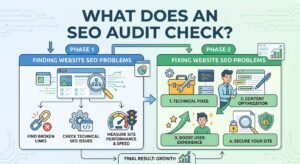
The most useful audits do not simply produce hundreds of errors. They explain what each problem means. They also show which problems deserve attention first. This turns an SEO website audit into an actionable business tool instead of a confusing technical report.
| Audit Area | What It Checks | Main Goal |
|---|---|---|
| Technical SEO | Crawling, indexing, redirects | Remove technical barriers |
| On-Page SEO | Titles, headings, content | Improve page relevance |
| Content | Quality, freshness, gaps | Build useful pages |
| Keywords | Terms and search intent | Match pages with searches |
| Performance | Speed and Core Web Vitals | Improve page experience |
| Internal Links | Site connections | Help users and search engines |
| Backlinks | External links | Understand authority signals |
| Competitors | Rankings and content | Find missed opportunities |
| Local SEO | Local visibility | Reach nearby customers |
| E-commerce SEO | Products and categories | Improve store visibility |
The best way to how to perform an SEO audit is to follow a fixed process. Start with your goals and current data. Then review technical health, indexing, content, keywords, performance, links, and competitors. Finish by ranking every issue according to impact and business value.
Do not change everything at once. First collect evidence. Then diagnose the cause. After that, create an SEO audit report with clear actions. This approach makes it easier to fix SEO problems and measure whether your changes actually improve search performance.
| Step | Main Task | What to Find |
|---|---|---|
| 1 | Set goals | Business and SEO targets |
| 2 | Collect data | Traffic and ranking baseline |
| 3 | Check indexing | Indexed and excluded pages |
| 4 | Audit technical SEO | Crawl and technical problems |
| 5 | Review pages | On-page weaknesses |
| 6 | Audit content | Thin, outdated, or missing topics |
| 7 | Map keywords | Keyword-to-page alignment |
| 8 | Check performance | Speed and Core Web Vitals |
| 9 | Review links | Internal and external link issues |
| 10 | Study competitors | Gaps and opportunities |
| 11 | Prioritize | Impact, urgency, effort, value |
| 12 | Implement | Fix and improve |
| 13 | Monitor | Measure results over time |
A technical SEO audit checks whether search engines can access and understand your website. Review robots.txt, XML sitemaps, HTTPS, redirects, canonical URLs, JavaScript rendering, status codes, and site architecture. These elements can affect how search engines discover and process your pages.
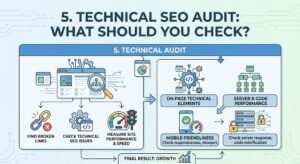
You should also identify technical issues that create poor experiences for visitors. Broken pages, redirect chains, duplicate URLs, blocked resources, and weak architecture can waste crawling resources. A technical review helps you fix technical SEO issues before spending more money on content or links.
| Technical Element | What to Check |
|---|---|
| HTTPS | Secure page delivery |
| Robots.txt | Important pages are not blocked |
| XML sitemap | Correct URLs are submitted |
| Canonical URL | Preferred version is clear |
| Redirects | No unnecessary chains |
| Status codes | Broken pages are identified |
| JavaScript | Important content can be accessed |
| Architecture | Important pages are easy to reach |
| URLs | Clean and consistent structure |
Before trying to rank a page, make sure Google can discover and process it. To check website indexing, use Google Search Console and inspect important URLs. You can also check Google indexing by reviewing indexed pages, sitemap information, and URL inspection data.
Crawlability and indexability are different. Crawling means a search engine can access a URL. Indexing means the page has been processed and may be stored for search. Crawlability issues and indexability issues can therefore require different fixes. Google provides Search Console tools to help website owners understand indexing and search performance.
| Check | Possible Problem |
|---|---|
| URL Inspection | Page cannot be indexed |
| Indexing report | Important URLs are excluded |
| XML sitemap | URLs are missing |
| Robots.txt | Crawlers are blocked |
| Canonical | Another URL is selected |
| Redirect | URL points elsewhere |
| Status code | Server returns an error |
An on-page SEO audit examines the elements on individual pages. Review titles, descriptions, headings, keywords, URLs, images, internal links, and content structure. Your page should make its topic clear without repeating the same keyword unnaturally.
Start with meta title optimization and meta description optimization. Then review heading optimization, image descriptions, and keyword optimization. Your page should also satisfy the reason behind the search. A page that matches search intent usually gives visitors a better reason to stay and continue reading.
| On-Page Element | What to Review |
|---|---|
| Title | Clear topic and useful wording |
| Meta description | Accurate search-result summary |
| H1 | Main page topic |
| H2/H3 | Logical content structure |
| Keywords | Natural topic coverage |
| Images | Relevant and optimized |
| Internal links | Useful contextual connections |
| URL | Clear and descriptive |
| Search intent | Matches what users want |
A content audit should ask more than whether a keyword appears on the page. Check content quality, originality, relevance, depth, accuracy, freshness, and usefulness. A page can contain many keywords and still fail to answer the reader’s real question.
Look for outdated pages, thin content, duplicate content, weak sections, and content gaps. You may also find several pages competing for the same topic. Improving these areas can create stronger topical coverage. It can also help you increase organic traffic when the improved content better satisfies user needs.
| Content Check | Question |
|---|---|
| Relevance | Does the page answer the topic? |
| Originality | Does it offer useful value? |
| Depth | Does it cover important subtopics? |
| Freshness | Is the information still current? |
| Intent | Does it match the search? |
| Accuracy | Are facts reliable? |
| Gaps | Are important questions missing? |
| Duplication | Does another page cover the same topic? |
Keyword research tells you what people search for. An audit checks whether those terms are assigned to the right pages. This process is called keyword mapping. It prevents unrelated pages from competing against each other and gives every important topic a clear destination.
Your keyword targeting should also match search intent. Someone searching “what is SEO” needs information. Someone searching “SEO services for businesses” may be ready to compare providers. Good search intent optimization connects the right page with the right search need.
| Search Intent | Example Search | Suitable Page |
|---|---|---|
| Informational | What is an SEO audit? | Guide |
| Commercial | Best SEO audit services | Service comparison |
| Transactional | Buy SEO software | Product page |
| Navigational | XpertCode SEO services | Brand page |
| Local | SEO agency in London | Local service page |
Website speed affects how people experience your pages. During a performance review, examine page speed, mobile loading, server response, image size, scripts, and other resources. Google also uses Core Web Vitals to measure important parts of real-world page experience.
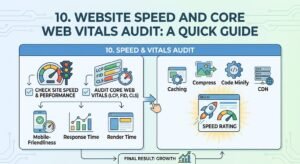
The current Core Web Vitals include LCP, INP, and CLS. LCP measures loading performance. INP measures responsiveness. CLS measures visual stability. Google has confirmed that INP replaced FID as a Core Web Vital.
| Metric | What It Measures |
|---|---|
| LCP | Main content loading |
| INP | Interaction responsiveness |
| CLS | Layout stability |
| Page speed | General loading experience |
| Mobile performance | Experience on smaller devices |
A mobile SEO review checks whether your site works properly on smaller screens. Your navigation should remain simple. Text should be readable. Buttons should be easy to tap. Important content should not disappear or become difficult to use.
A mobile-friendly website should also load efficiently. Large images, unnecessary scripts, and heavy layouts can slow mobile visitors. Review the mobile version separately because a page that feels fast on a desktop computer may feel very different on a phone.
| Mobile Check | What to Review |
|---|---|
| Design | Responsive layout |
| Text | Easy reading |
| Navigation | Simple menus |
| Buttons | Easy tapping |
| Images | Correct sizing |
| Forms | Easy completion |
| Speed | Fast mobile loading |
| Content | Same important information |
Strong internal linking helps connect related pages across your website. During an audit, look for orphan pages that have no useful internal links. Also review your internal link structure, anchor text, link depth, and connections between important pages.
Use descriptive anchor text that tells readers what they will find after clicking. Do not force exact-match keywords into every link. A natural internal linking system can guide visitors while helping search engines understand relationships between pages.
| Internal Link Issue | What to Improve |
|---|---|
| Orphan pages | Add relevant contextual links |
| Weak pages | Connect them from stronger content |
| Poor anchor text | Use clear descriptive wording |
| Deep pages | Reduce unnecessary click depth |
| Commercial pages | Add useful supporting links |
| Related articles | Create logical topic clusters |
An off-page SEO audit examines signals outside your website. Backlinks are an important part of this review. Look at referring domains, link relevance, anchor text, lost links, and suspicious patterns. A backlink audit should focus on understanding the quality and context of your link profile.
Do not judge a backlink profile by the number of links alone. Ten relevant links from useful websites can tell a different story from hundreds of unrelated links. Review quality backlinks, toxic backlinks, and referring domains together before deciding what action is appropriate.
| Backlink Factor | What to Review |
|---|---|
| Referring domains | Quality and relevance |
| Link relevance | Connection to your topic |
| Anchor text | Natural wording |
| Lost links | Important links removed |
| Suspicious links | Unusual patterns |
| Competitor links | Useful industry opportunities |
A competitor SEO analysis shows where other websites have search visibility that you do not. Compare their pages, competitor keywords, content depth, internal links, backlinks, and SERP presence. The goal is not to copy them. The goal is to understand the market.
Study competitor rankings and the pages producing those rankings. Then perform SERP analysis for important searches. Look for SERP features, content formats, questions, local results, and topics that appear repeatedly. This can reveal useful content opportunities.
| Competitor Area | What to Compare |
|---|---|
| Keywords | Terms they rank for |
| Content | Topics and coverage |
| Backlinks | Referring websites |
| Pages | Top-performing URLs |
| SERP features | Search-result opportunities |
| Internal links | Site structure |
| Intent | Type of content ranking |
A local SEO audit helps businesses that serve specific cities, regions, or service areas. Review the Google Business Profile, business information, reviews, location pages, local keywords, and citations. Your business details should remain accurate and consistent across important platforms.
For USA and UK businesses, local search can be especially valuable when customers need nearby services. A local landing page should provide useful information about the location. It should not simply repeat the city name throughout the page.
| Local SEO Area | What to Check |
|---|---|
| Google Business Profile | Accurate business information |
| NAP | Consistent business details |
| Reviews | Genuine customer feedback |
| Location pages | Useful local information |
| Local keywords | Relevant search terms |
| Citations | Accurate business listings |
| Local links | Relevant community websites |
An e-commerce SEO audit needs special attention because online stores can contain thousands of URLs. Review product pages, category pages, filters, product variations, structured data, and internal links. Poor URL handling can create duplicate or low-value pages.
Faceted navigation can create many combinations of filters. Some may be useful for users but unnecessary for search engines. During an SEO audit for e-commerce websites, check which URLs should be crawled, indexed, consolidated, or excluded.
| E-Commerce Area | What to Check |
|---|---|
| Product pages | Content and indexability |
| Categories | Unique useful descriptions |
| Filters | Unnecessary URL creation |
| Product schema | Correct structured data |
| Images | Quality and optimization |
| Variations | Duplicate URL problems |
| Out-of-stock pages | Useful handling |
| Internal links | Clear product discovery |
The easiest way to find SEO problems is to connect each symptom with possible causes. A traffic drop does not automatically mean your content is bad. It could involve indexing, technical changes, seasonality, rankings, competitors, or other factors.
After diagnosis, create specific actions to fix SEO problems. Avoid changing titles, content, links, and technical settings at the same time without recording the changes. A controlled process makes it easier to understand which improvement actually helped.
| SEO Problem | What You Should Check | Practical Direction |
|---|---|---|
| Pages not indexed | Indexing and crawl settings | Inspect affected URLs |
| Low rankings | Search intent and content quality | Improve relevance |
| Low CTR | Title and meta description | Improve search-result messaging |
| Slow pages | Performance and Core Web Vitals | Improve resources and delivery |
| Orphan pages | Internal linking | Add relevant links |
| Duplicate content | Canonicalization and structure | Consolidate or clarify URLs |
| Traffic drops | Rankings, indexing, content, technical changes | Compare periods and investigate |
The right SEO audit tools depend on your website size and goals. Google tools are useful for first-party search data. Crawlers can find technical problems across many pages. Professional platforms can combine keyword, backlink, competitor, and technical data.
Useful free SEO audit tools include Google Search Console, Google Analytics, PageSpeed Insights, and other Google testing tools. Professional platforms such as Semrush, Ahrefs, Screaming Frog, and Sitebulb can support deeper analysis. The right SEO audit tool depends on the problem you need to investigate.
| Tool | Main Use |
|---|---|
| Google Search Console | Search and indexing data |
| Google Analytics | Website traffic analysis |
| PageSpeed Insights | Performance testing |
| Screaming Frog | Technical crawling |
| Semrush | SEO and competitor research |
| Ahrefs | Links and search research |
| Sitebulb | Technical website auditing |
| Bing Webmaster Tools | Bing search performance |
A Google Search Console audit starts with your real search data. Review clicks, impressions, CTR, average position, queries, pages, countries, devices, indexing, and other available reports. Search Console lets you examine how your website appears in Google Search.
Look for pages with high impressions but low CTR. Review queries where your pages appear but receive few clicks. Google itself recommends using these patterns to identify opportunities for improving titles, descriptions, and content alignment.
| Search Console Data | What It Can Tell You |
|---|---|
| Clicks | Search traffic received |
| Impressions | Search visibility |
| CTR | Search-result click rate |
| Average position | Approximate search position |
| Queries | Terms showing your pages |
| Pages | URLs receiving search activity |
| Countries | Geographic performance |
| Devices | Mobile and desktop differences |
There is no single schedule that works for every website. A small website may need periodic full reviews. A large e-commerce website may need more frequent technical monitoring. You should also monitor SEO performance between full audits so important changes do not go unnoticed.
Run an audit after a migration, redesign, major CMS change, large traffic drop, or important technical update. A sudden fall in clicks or impressions deserves investigation. Search Console can help identify significant changes in search performance over time.
| Situation | Recommended Action |
|---|---|
| Normal operation | Regular monitoring |
| Small website | Periodic full audit |
| Large website | Frequent technical checks |
| Website migration | Audit before and after |
| Redesign | Technical and on-page review |
| Traffic drop | Immediate investigation |
| Major SEO change | Review results afterward |
A long SEO audit checklist can create a new problem. You may have too many tasks and no clear order. Instead, rank each issue using four questions: Impact → Urgency → Effort → Business Value.
A broken indexation rule may deserve attention before a minor image issue. A weak commercial page may deserve attention before a low-value blog post. This approach turns an SEO health check into a practical SEO strategy instead of a long list of technical warnings.
| Factor | Question |
|---|---|
| Impact | How much could this affect search performance? |
| Urgency | Does it need attention now? |
| Effort | How difficult is the fix? |
| Business Value | Could it affect leads or sales? |
A useful SEO audit checklist should cover the whole website. It should not focus only on keywords. Technical health, content, indexing, performance, links, mobile usability, and business goals all deserve attention.
Use the table below as a practical SEO audit checklist for websites. Mark each area after reviewing it. Then move unfinished items into your SEO improvement plan and assign a priority based on business impact.
| Audit Area | What to Review | Status |
|---|---|---|
| Technical SEO | Crawling and indexability | ☐ |
| Robots.txt | Important pages accessible | ☐ |
| XML sitemap | Correct URLs included | ☐ |
| HTTPS | Secure connections | ☐ |
| Canonicals | Preferred URLs | ☐ |
| Redirects | Correct redirect behavior | ☐ |
| Indexing | Important pages indexed | ☐ |
| Titles | Unique and relevant | ☐ |
| Descriptions | Clear search snippets | ☐ |
| Headings | Logical structure | ☐ |
| Content | Helpful and original | ☐ |
| Keywords | Correct page targeting | ☐ |
| Search intent | Matches user needs | ☐ |
| Images | Optimized and useful | ☐ |
| Internal links | Important pages connected | ☐ |
| Core Web Vitals | LCP, INP, CLS | ☐ |
| Mobile SEO | Mobile experience | ☐ |
| Backlinks | Quality and relevance | ☐ |
| Competitors | Keyword and content gaps | ☐ |
| Local SEO | Local signals | ☐ |
| E-commerce | Product indexation | ☐ |
| Reporting | Findings documented | ☐ |
An SEO audit focuses mainly on search visibility. It checks how search engines discover, understand, and rank your pages. A broader website audit can examine design, usability, security, accessibility, conversion paths, and general technical health.
The two can overlap. However, they answer different questions. A website audit may ask whether visitors can use your site easily. An SEO audit asks whether your website can compete effectively in organic search and whether search engines can access its important content.
| SEO Audit | Website Audit |
|---|---|
| Search visibility | Overall website health |
| Keyword performance | General content presentation |
| Indexing | Broader technical review |
| Search intent | User experience |
| Backlinks | Security and infrastructure |
| Organic traffic | Conversion experience |
A free audit can help you check website SEO and discover obvious problems. Tools can reveal indexing issues, page speed problems, broken links, and basic search performance. This is useful for beginners and small websites with limited complexity.
A professional audit goes deeper. It can connect technical problems with business goals, competitor data, content strategy, keyword opportunities, and conversion pages. Professional SEO audit services can be useful when a website is large, technically complex, competitive, or experiencing unexplained performance problems.
| Free Audit | Professional Audit |
|---|---|
| Basic checks | Deeper investigation |
| Limited data | Multiple data sources |
| Simple technical review | Advanced technical analysis |
| Basic recommendations | Prioritized strategy |
| DIY implementation | Professional implementation options |
| Good for learning | Useful for complex websites |
XpertCode can help businesses turn audit findings into a practical SEO plan. Its work can cover technical SEO, keyword research, competitor analysis, content strategy, on-page optimization, link-building strategy, and SEO reporting.
The important part is not simply finding errors. The real value comes from knowing what to fix first and why. With the right SEO services, your audit can become a roadmap for better content, stronger technical health, improved search visibility, and measurable business growth.
| XpertCode SEO Area | Business Purpose |
|---|---|
| Technical SEO audit | Find technical barriers |
| Keyword research | Discover valuable search terms |
| Competitor analysis | Find market gaps |
| Content strategy | Build useful topical coverage |
| On-page optimization | Improve important pages |
| Internal linking | Strengthen site structure |
| Link strategy | Build relevant authority |
| SEO reporting | Track progress |
If your website has traffic but lacks consistent growth, an audit can show where the gaps are. If you are starting SEO, it can provide a clear foundation. XpertCode can help turn those findings into an organized SEO workflow rather than leaving you with a long report full of unexplained errors.
The following questions cover common searches around SEO audit services, tools, pricing, process, and expected outcomes. The answers are intentionally simple. They focus on what website owners actually need to know before starting an audit.
A good audit should leave you with more than a score. It should give you evidence, explanations, priorities, and actions. That is what makes an SEO audit useful for long-term search optimization.
To perform an SEO audit, start with your goals and current search data. Then check indexing, technical SEO, on-page elements, content, keywords, speed, mobile usability, internal links, backlinks, and competitors. Finish by prioritizing the findings and creating an action plan.
A complete SEO audit can include technical SEO, indexing, crawling, content, keywords, search intent, Core Web Vitals, mobile SEO, internal links, backlinks, competitor analysis, local SEO, and e-commerce checks. The exact scope depends on the website and its business goals.
A full audit can be performed periodically. However, you should monitor important search and website data more often. Perform an immediate review after a migration, redesign, major technical change, or unexpected traffic decline. Regular monitoring helps you catch problems earlier.
Yes. You can perform a basic audit with free tools. Google Search Console can show search performance and indexing information. Google Analytics can help analyze website traffic. PageSpeed Insights can help evaluate performance. Larger websites usually need deeper crawling and analysis.
There is no single tool that is best for every website. SEO audit tools have different strengths. Search Console provides Google search data. Crawlers can inspect technical problems. Other platforms focus on backlinks, keywords, competitors, or wider SEO analysis.
The time depends on website size and complexity. A small business website may require a relatively focused review. A large e-commerce website can contain thousands of URLs and many technical relationships. A deeper audit therefore takes more time and investigation.
The cost depends on the number of pages, technical complexity, competition, required tools, and audit depth. A simple review costs less than a detailed technical and strategic audit. SEO audit services for businesses should therefore be compared by scope and deliverables, not price alone.
An audit itself does not guarantee higher rankings. It identifies problems and opportunities. Results depend on the quality of the recommendations and how well they are implemented. A strong audit can help you improve Google rankings by revealing technical, content, keyword, and structural weaknesses.
Your website does not need more SEO work simply because a tool shows a long list of errors. It needs the right SEO work. That starts with understanding what is actually limiting your search performance.
A good website SEO audit connects technical health with content, keywords, users, competitors, and business goals. It helps you analyze website performance, analyze search performance, and decide where your resources can create the most value.
Start with the basics. Make sure Google can access important pages. Then improve content, search intent, internal linking, performance, and authority. Keep measuring the results after each major change.
Most importantly, treat an audit as a starting point. The real SEO advantage comes from what you do after the audit. Find the problems, understand their causes, prioritize the work, and build a consistent SEO improvement plan.
When that process becomes part of your regular workflow, SEO becomes less of a guessing game. You have clearer data, clearer priorities, and a much better understanding of how your website can compete in search.
| Explore Now | Link |
|---|---|
| SEO Rank Tracking | Explore SEO Rank Tracking |
| Google Keyword Ranking | Explore Google Keyword Ranking |
| Modern Web Development | Explore Modern Web Development |
| SEO Optimization Services | Explore SEO Optimization Services |
Want higher Google rankings? Discover how to find and fix SEO problems with this complete 2026 SEO Audit guide. Check indexing, technical SEO, content, keywords, speed, backlinks, and more.